Search Patients
- Main Menu
- Patient
- Enter Detail In Search Box
- Search
Patient Department Plays A Vital Role In The Clinic/Hospital Maintenance Software , As All The Details Of A Patient Is Stored And Maintained Securely In This Department. In Our ZillionCare software, We Bestow Importance For The Security And Simplicity. Here, We Can Add, View, Search, Edit The Patient Record Details In A Very Easy Way.
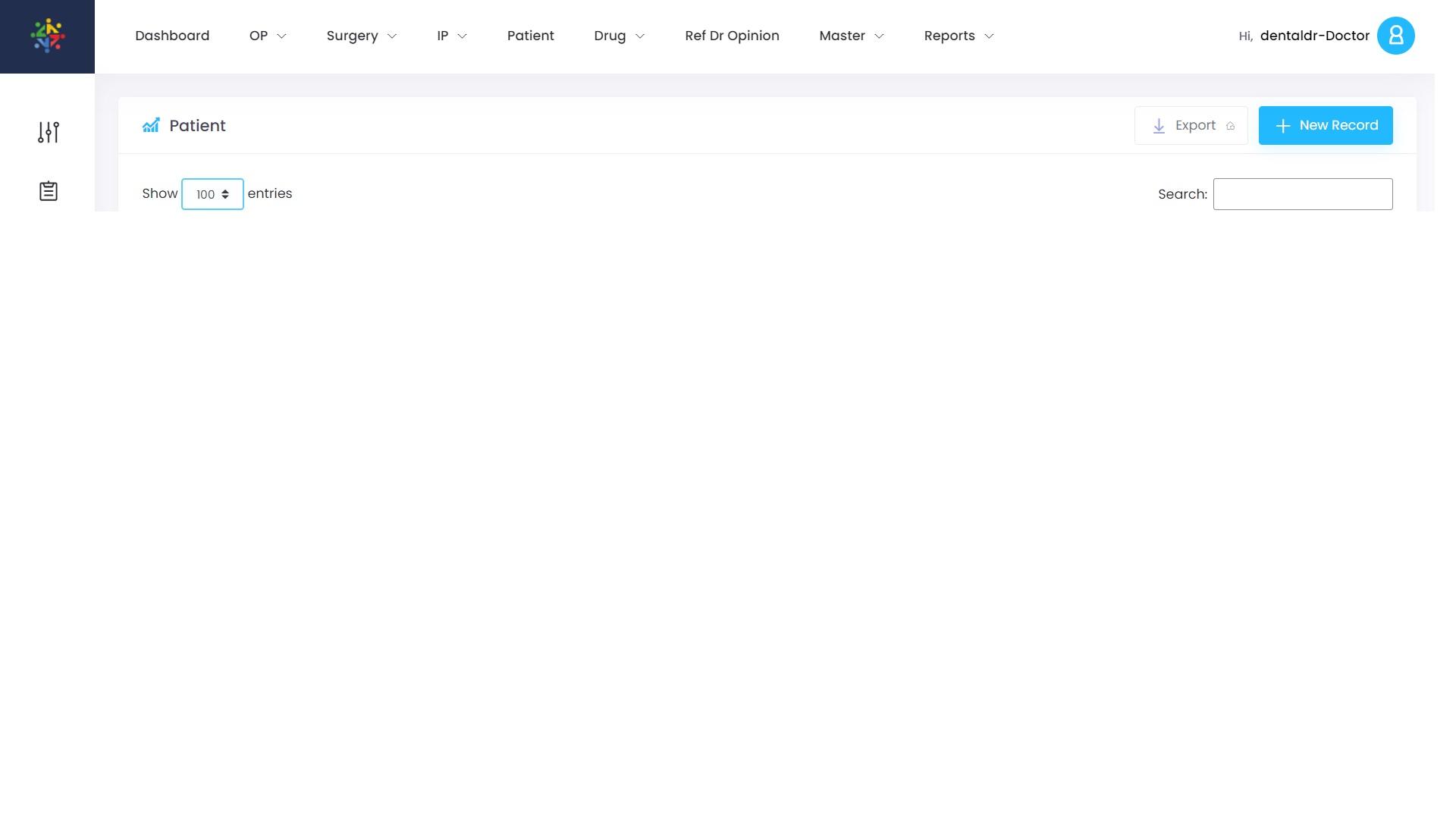
Image Guidelines For Searching From All Patients
Search For Patients
We Depict Here The Actual Image Directions Of Our Hospital Management Software, ZillionCare, For Your Convenience.

Procedure Guidelines For Searching A Patient
Search A Particular Patient From List Of All Patients
Text Instructions For Searching The Patient From The Patient List, In Our Clinic/Hospital Management Software, ZillionCare.
- Login To hms.zillion.care
- From The Main Menu, Click On Patient Tab
- List Of All Patients are Displayed
- On the Right Corner, there will be a Search Box, as showed in the the Pic No.3
- Enter the Patient Name or MRD No or Phone Number in the Search Box
- Searching With MRD No. Gives You The Exact Patient Whom The Search Is For
- After Entering The Search Content In The Search Box , Click Enter
- Now, The Patient Is Displayed
- We Can View Or Edit The Patient Details